

1. The login change you actually need to know about: Busy Things and J2e.
If your school still signs into Busy Things or the Just2easy Toolsuite with USO, read this bit.
Most start-of-year checklists open with a section on planning your curriculum vision, but more important at the start of the term is making sure everyone can actually log in.
There is no lesson plan on earth (no matter how beautifully differentiated) that survives thirty children discovering, simultaneously and at volume, that they can't get in.
Not signed in before? Good news: both platforms now let you sign in with the Google or Microsoft accounts your school already has — the same ones pupils use for Google Classroom or school email.
- Busy Things
Guidance at lgfl.net/teaching/busy-things-migration-guidance, and the setup route is busythings.co.uk/lgfl_uso_migration.
Two things worth knowing before you start:
- You don't have to move everyone at once. Infant school? Primary with pupils who can't yet type their own name reliably, let alone an email address? Set up Busy Things hosted logins for EYFS and Year 1, and Google or Microsoft for the older ones. A mixed approach across the school is absolutely fine — no single method was ever going to suit a Reception child and a Year 6 child equally.
- The Google/Microsoft authentication step must be completed on school premises. So this is an INSET-day task.
- Just2easy
A walkthrough video and a downloadable PDF cover the move from USO to Microsoft or Google at lgfl.net/teaching/just2easy-migration-guidance.
- General migration support: contentsupport@lgfl.net
- Just2easy specifically: support@j2e.com
Using USO currently?
It still currently works. But if a move is on the cards, do it in the first fortnight of term.
2. Book the free J2e support.
This one genuinely surprises people. J2e support is included with the Toolsuite as part of your Let's Get Digital subscription, and it includes:
- A regular programme of webinars
- Live lessons for your pupils, delivered by the J2e Educators (yes, someone else teaches it)
- 15-minute teacher appointments — often available the same day
- Online chat with support staff
3. Get a free bespoke training session.
Our Learning Resource Consultant will build a session around what your staff actually need, rather than a generic tour of things you already know. After-school sessions run for about an hour; we also offer half-day and full-day INSET.
It costs nothing. Email training@lgfl.net and pick a date.
4. Raid the Training Hub.
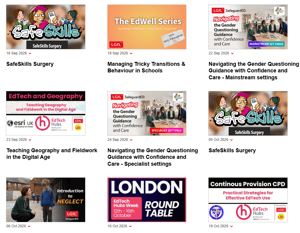
Computing, mental health and wellbeing, online safety including CEOP, and plenty more — all free to all schools. Browse, book, and forward the link to the colleague who keeps saying they'd like to do more CPD.
5. Map the resources to your curriculum
The difference between "we have loads of LGfL resources" and "we use loads of LGfL resources" usually comes down to about 90 minutes of effective planning in September.
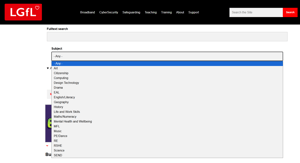
Browse by subject or key stage to see everything relevant at a glance, or search a specific national curriculum statement when you need something for one particular lesson.
6. Update your online safety policy and AUP
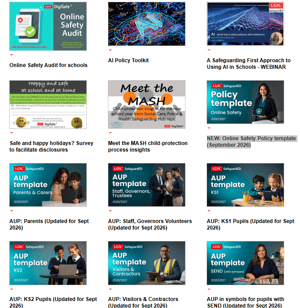
The SafeguardED team have been quietly working through the summer, so you don't have to. The Online Safety policy and AUP templates are updated, including differentiated versions so every learner can engage with them meaningfully rather than signing something they can't read. There's a 'Start of the Year' PDF guide to download, too.
lgfl.net/online-safety/resource-centre
7. Have a look at the Inclusion Resources Centre.
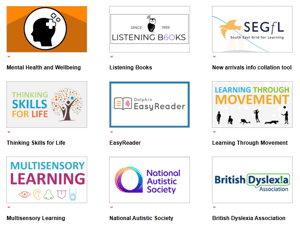
Search for resources to support your learners without trawling the whole catalogue. There's CPD here as well — Learning Through Movement and Multisensory Learning both work nicely as INSET sessions.
8. Engage with the EdTech Hubs Programme
Supporting effective teaching and learning EdTech Hubs programme provides a network of schools that share good practice and inspiration on how to harness the power for effective technolgy use.
Find out more on our Hubs portal
Why not visit a school to see firsthand how leading schools use technology effectively in everyday teaching, learning, and assessment so every student reaches their full potential?
9. Is your team taking full advantage of our Wellbeing offer?
LGfL aims to support schools wherever they are currently on their journey regarding mental health and wellbeing for both staff and pupils. The Mental Health and Wellbeing resources and training in our new EdWell series are intended to support schools to develop a positive culture and talk about "mental wealth".
10. Keep up to date - Sign up for the LGfL Newsletters and Blogs
Monthly newsletters and extremely useful, informative blogs
Sign up at landing.lgfl.net/newsletter-sign-up
- Educators — resources, training and SEND from the curriculum team
- Safeguarding — for DSLs and online safety/RSHE leads
- Cybersecurity — protections, services, and news you'd rather hear from us than from an incident
For access to the blogs, you're already in the right place. Let others in your school know about them and hit subscribe.
https://curriculumblog.lgfl.net
Also worth watching: the latest news page.
* If you read nothing else *
If you ignore everything else, do this: verify that your Busy Things and J2e logins work on school devices for both staff and pupils before the first bell rings.
The choice is yours: ten low-stress minutes on an INSET day with a coffee in hand, or forty frantic minutes as the involuntary lead in a high-volume drama titled "But It Worked At Home."
We all wish you a fantastic term ahead!
*Terms and Conditions apply and are correct as of the publication date